Power-ups
Send an email
Looking for full inbox access?
This power-up only sends notification emails to a fixed list of recipients you configure. If you want your bot to read, send, and manage emails from a real connected inbox (Gmail, Outlook, etc.), see the Email power-ups instead.
The Send email power-up gives your bot the ability to send emails, providing a more comprehensive and integrated user experience. It's the simplest way to have your bot notify you (or a small set of recipients) about a conversation — no inbox connection required.
The easiest way to see how this power-up works is to watch the second part of this video:
Adding the Send email power-up to your bot
From your bot's dashboard, navigate to the Power-ups tab. Select the Send email power-up and click the Create power-up button.
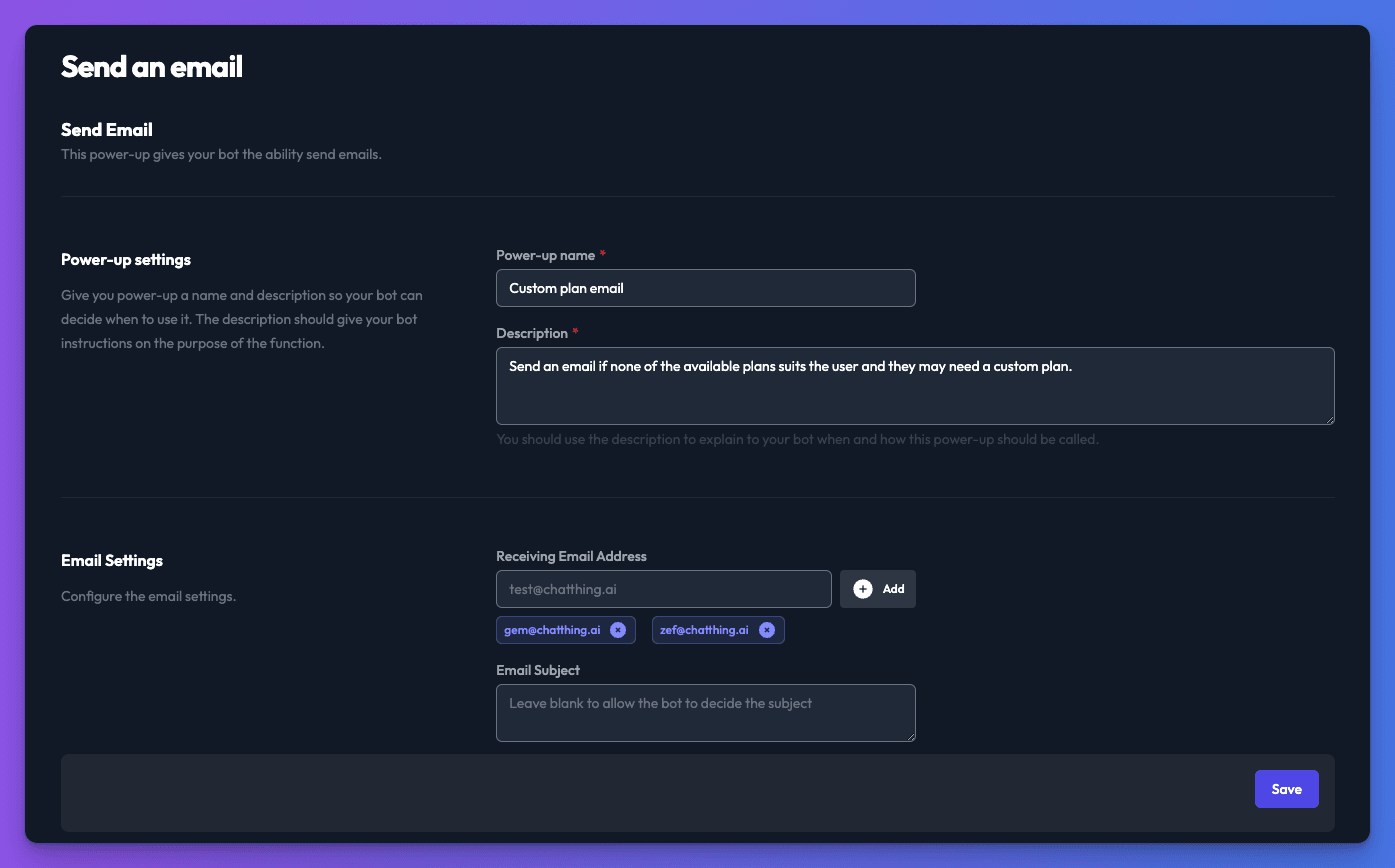
Configuring the Send email power-up
- Power-up name - Provide a name for your power-up, making it easy to identify and manage.
- Description - Add a detailed description to guide your bot on when to use the power-up. Clearly outline the purpose of this feature.
- Receiving Email Address - Add up to three email addresses to receive the emails sent by your bot when the power-up is triggered.
- Email Subject - You can provide a subject for the email. If left blank, your bot will autonomously determine the subject based on the conversation context.
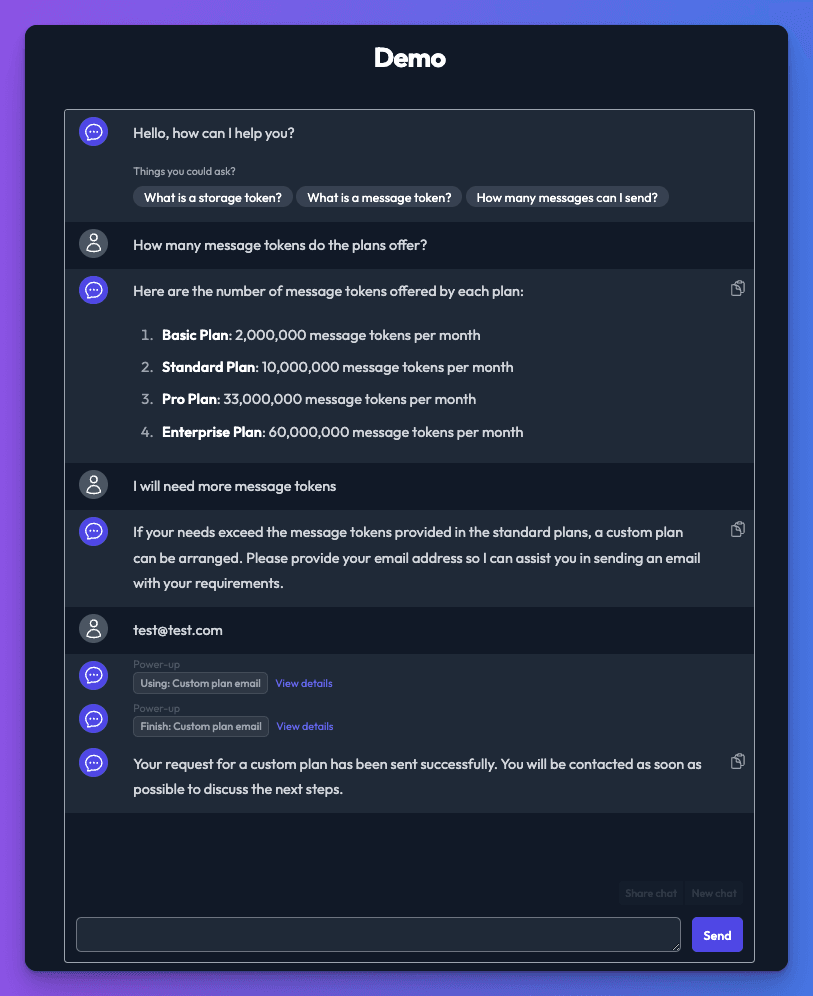
How it works
Your bot will decide when to use the email power-up based on the instructions provided in the power-up description. The bot will ask the user for an email address as part of the conversation. Once the user provides an email address, your bot will compose a message based on the conversation.
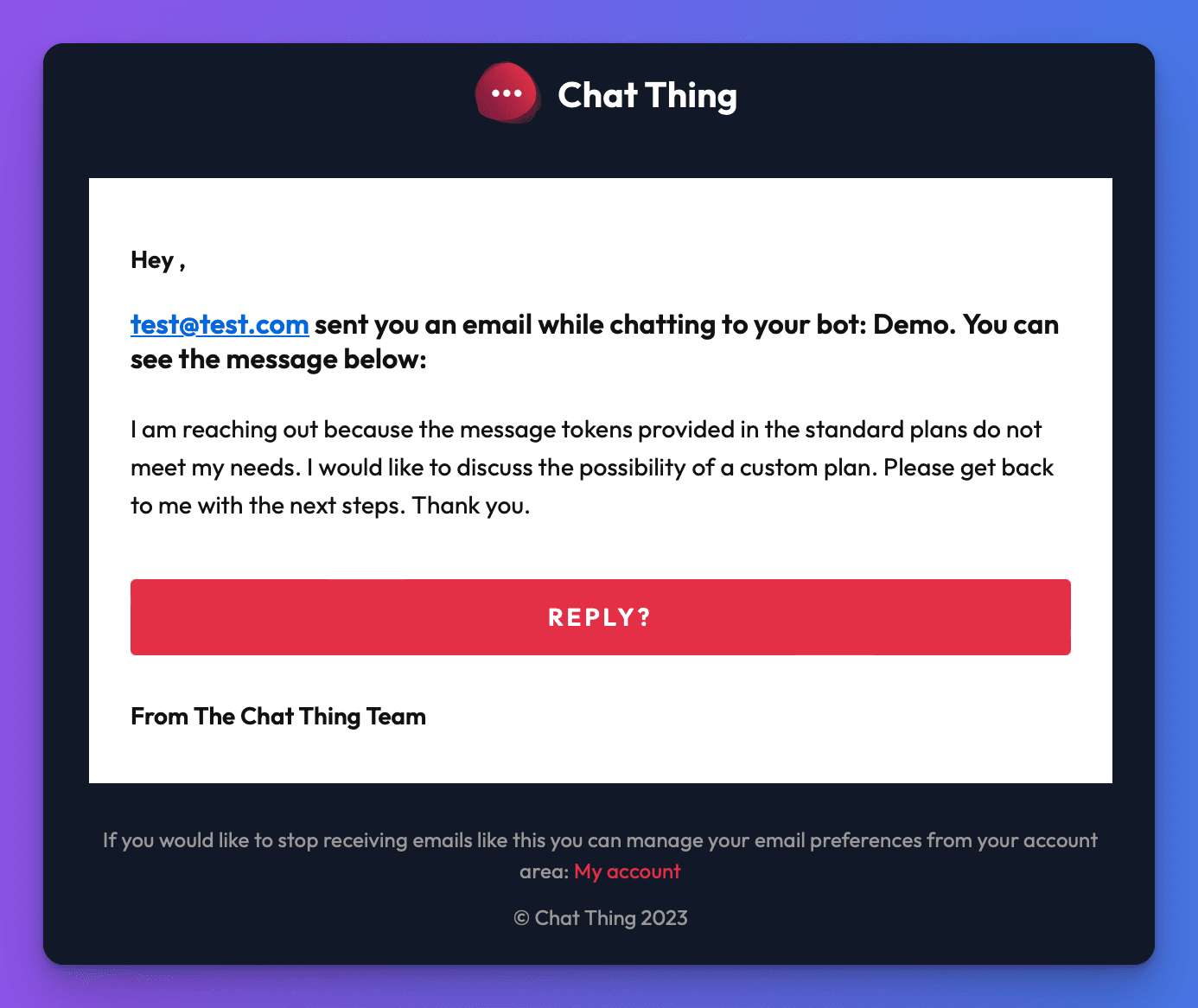
An email containing the user's email address and the message generated by your bot will be sent to the specified receiving email addresses.
Send email vs. Email power-ups — which should I use?
| Send email (this page) | Email power-ups | |
|---|---|---|
| Setup | None — just add recipient addresses | Connect a real email account via Nylas OAuth |
| Recipients | Fixed list of up to 3 addresses you configure | Any address the bot decides to send to at chat time |
| Direction | Outgoing notifications only | Read, send, reply, and manage messages |
| Folder/labels | — | List folders and move messages between them |
| Cost | Included in your subscription | Additional add-on per connected provider |
| Best for | Lead capture, support hand-off notifications, simple alerts | A bot that acts as your email assistant |